Innomesh · Platform Release
Innomesh v3.6.1
Innomesh Platform Version 3.6.1 releases 31 July 2026, the final release of the v3 platform. It introduces meshIQ, our platform-wide AI assistant in preview, alongside property-based automation, Incident Management, new platform integrations, a mobile-first Portal, and dark mode.
31 July 2026
Production rollout in Australia. US and EU on 7 August 2026
12
Key features and enhancements in this release
meshIQ
Our platform-wide AI assistant, now in preview
Accessibility
Assistive AV Control. WCAG 2.2 above 90%
One of the largest releases we have shipped, and the send-off for v3: the series closes at its strongest, paving the way for Innomesh v4.
It introduces meshIQ, our platform-wide AI assistant, alongside property-based automation policies that self-heal, secure, and enforce device configurations, Incident Management, new Appspace and Biamp SageVue platform integrations, a redesigned Hotlist, a mobile-first Portal, and dark mode. Together, they change how enterprises monitor, manage, and understand their AV and UC environments.
Production rollout · 31 July 2026 Australia · 7 August 2026 US and EU
Release Highlights at a Glance
meshIQ (preview): ask questions about your environment in plain language and get answers as charts, tables, and written summaries
MCP server (preview): connect AI tools such as Claude, Microsoft Copilot, and Cursor to Innomesh through the open Model Context Protocol
Incident Management: related alerts grouped into single trackable incidents, in Innomesh or synchronised both ways with ServiceNow
Hotlist redesign: one unified alert list, highest severity at the top, with configurable severity rules
Mobile-first Portal and dark mode: monitor and manage your environment from your phone, in the theme you prefer
New platform integrations: Appspace digital signage and Biamp SageVue, plus a major Q-SYS uplift
Property-based asset automation: auto-provision, remediate, and secure: configuration drift is detected and corrected automatically, with a continuous compliance record
Accessibility: WCAG 2.2 alignment lifted above 90% across levels A, AA, and AAA, and Assistive AV Control user management in the Portal
meshIQ
You talk to your data and it responds to you in dashboards.
meshIQ, in preview from v3.6.1. Free for every customer to try, with usage limits applied.
01 meshIQ In preview
Ask in plain language, get the answer as a chart.
Innomesh has always collected the data. meshIQ lets you talk to it. Ask about your rooms, alerts, or wider environment in plain language, and meshIQ responds with a written summary and the chart best suited to the question, built from live knowledge of your environment. You talk to your data and it responds to you in dashboards.
meshIQ routes every question to the right specialist automatically. The Alerts agent diagnoses alerts in context, building on the AI diagnosis introduced in v3.6.0, while the Insights agent answers questions across your entire estate. Start with the built-in catalogue of tested queries or ask your own, then view any insight as a chart or table, export it as CSV or PNG, or bookmark it to Saved Insights and replay it against fresh data whenever you need.
Alerts get the same treatment. Open any alert and the Alerts agent diagnoses it against live device data and everything your team has already recorded: alert history, engineer notes, linked tickets, past outages, and the last configuration change. You get the likely root cause, the operational impact, and a recovery plan, and you can ask follow-up questions in the same thread.
meshIQ launches in preview and is free for every customer to try, with usage limits applied.
02 MCP server In preview
Your AI tools, connected.
Your own AI tools can now query Innomesh too. The meshIQ MCP server, also in preview, uses the open Model Context Protocol to give tools such as Claude, Microsoft Copilot, and Cursor secure access to your tenancy. Your team can ask about rooms, assets, alerts, and automation from the AI tools they already use, with answers grounded in your live environment.
03 Incident Management
Many alerts. One trackable incident.
A room outage rarely arrives as one alert. It arrives as many, and someone has to recognise that they belong together. Incident Management does that for you, grouping related alerts into a single trackable incident so your team works the issue rather than the noise. Incidents can also be raised manually to track issues Innomesh has not detected on its own.
Each incident carries a scope (Global, Site, Zone, or Room) and a priority derived from impact and urgency, following the ITIL definition your service desk already knows, and the new Incident Trends graph shows whether your environment is improving over time. For ServiceNow customers, incidents synchronise in both directions, so AV operations and the service desk work from the same record in whichever system they prefer. No ITSM? Incident Management runs natively in Innomesh on its own.
04 Hotlist Redesign
One unified alert list. Configurable severity rules.
The Hotlist, the working surface of AV operations in Innomesh Portal, has been redesigned around a single unified alert list with the highest severity at the top. Alerts for unreachable assets are grouped under one Asset Offline alert, which expands to the underlying alerts whenever you need them, so the per-asset detail your support team diagnoses from is unchanged. Infrastructure alerts are hidden by default, and a new alert trends graph tracks the shape of your alert traffic.
The standout addition: administrators can now define alert severity rules directly in the Portal, raising or lowering severities, suppressing alerts, or dropping them before they reach the Hotlist. Control that previously needed a support call is now self-service.
05 Mobile-First Portal
Manage your environment on the go, from your phone.
The Innomesh Portal mobile experience has been fully revamped with a redesigned, mobile-first interface. Check the Hotlist, browse the Asset Register, or ask meshIQ a question from your phone, wherever your day takes you.
06 Dark Mode
Lights down. Focus up. Your call.
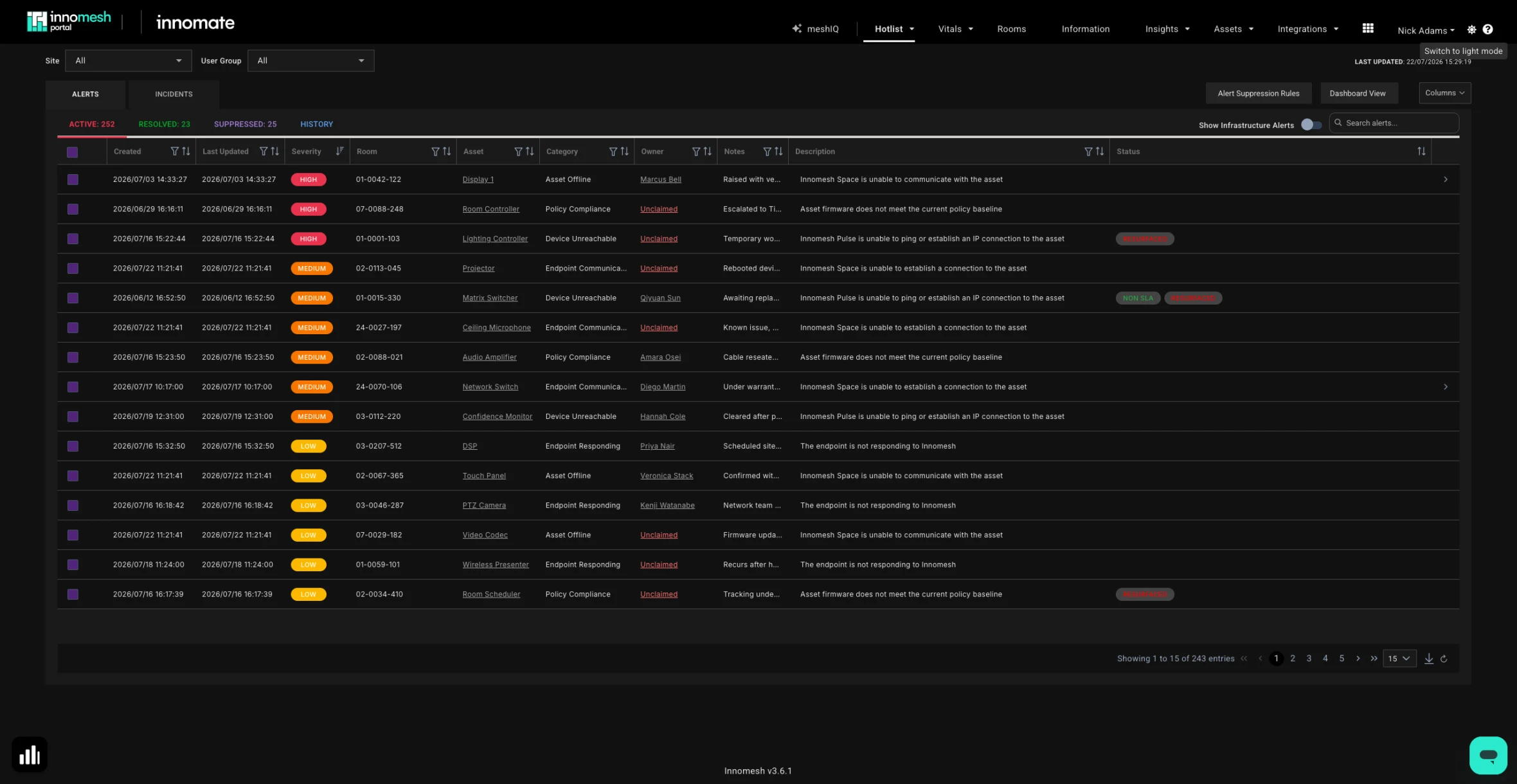
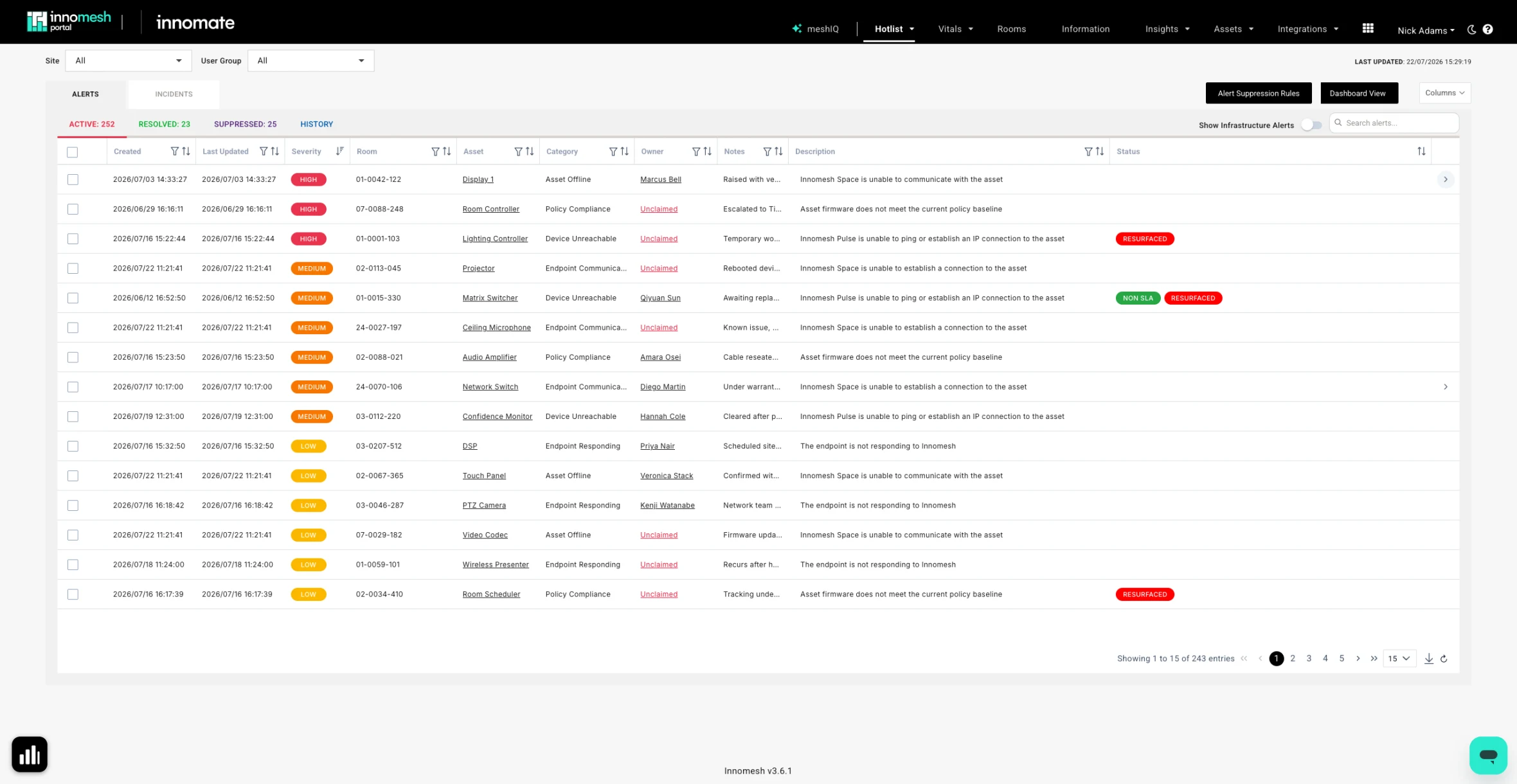
Innomesh Portal in light and dark mode. Drag the divider, or use the arrow keys once focused.
07 New Platform Integrations
Appspace, Biamp SageVue, and a major Q-SYS uplift.
The new Appspace integration brings your digital signage endpoints into Innomesh Portal in a single filterable view, one source of truth for signage devices. Offline players surface through the Hotlist the same way as any other device, and for signage linked to Sight or Space rooms, a Digital Signage tab shows a live preview of what is on each screen right now. The integration has been verified with BrightSign players and Crestron scheduling panels.
Biamp SageVue
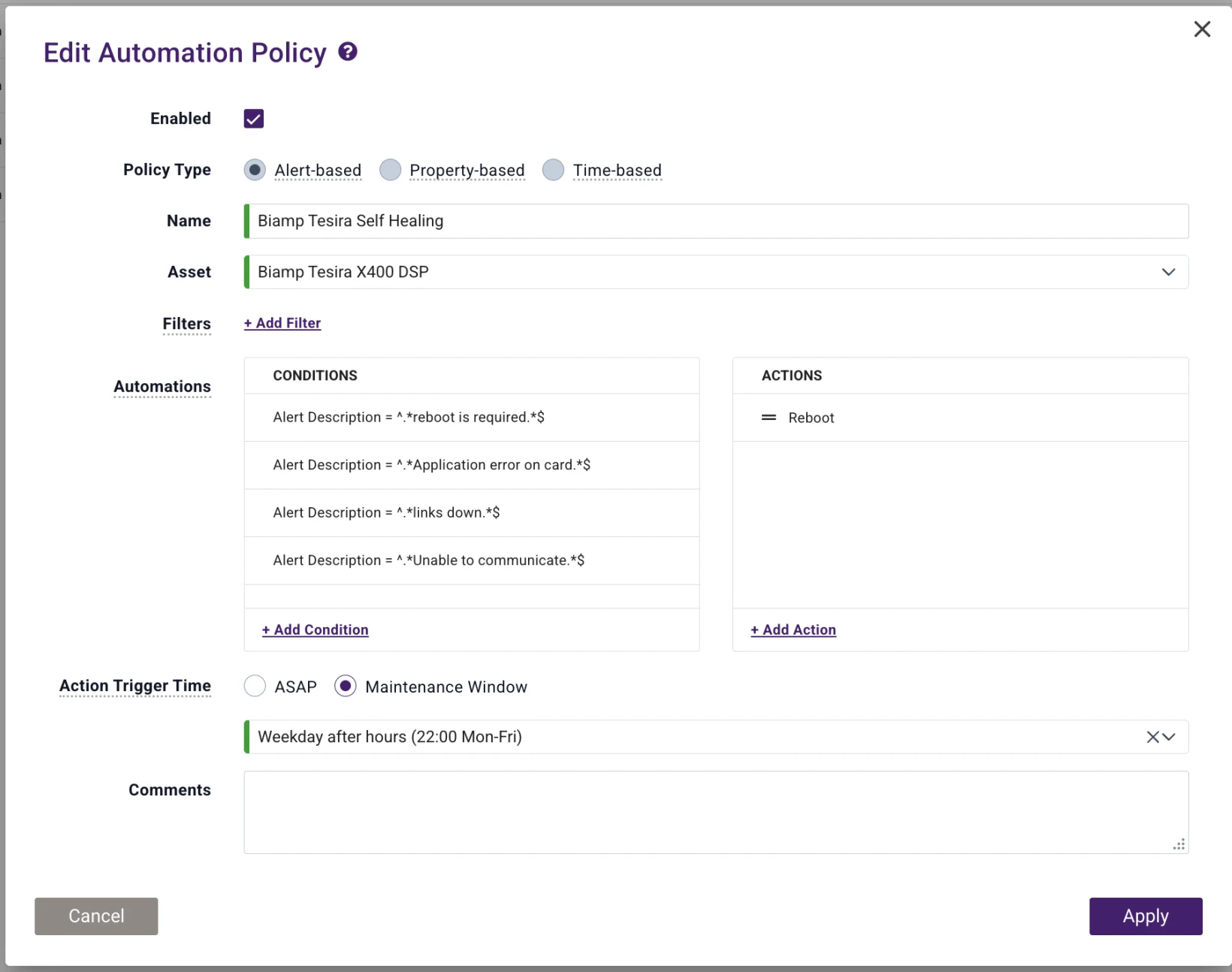
The new Biamp SageVue integration brings health and fault monitoring for Biamp Tesira audio devices into the Hotlist, so DSP issues appear and clear automatically alongside the rest of your environment. SageVue faults can also drive automation policies, scheduling corrective actions such as a device reboot within your maintenance windows.
Q-SYS uplift
The Q-SYS integration has been uplifted to fully integrate with Innomesh Sight and asset automation. Centralised device logs, at-a-glance fleet health vitals covering CPU, memory, disk, and uptime, clearer visibility of attached peripherals, and more reliable scheduled DSP backups all help support teams diagnose and resolve issues faster.
08 Automation Policies
Define the desired state. Innomesh enforces it.
Define the configuration a device should hold, an approved firmware version, the correct NTP server, Telnet disabled, and Innomesh enforces it across the fleet. Configuration drift raises a compliance alert, triggers automatic reprovisioning, or both, and new devices matching a profile are automatically provisioned the first time they appear on your network. Beyond faster onboarding, this hardens your security posture with a continuous compliance record across the estate.
It all runs on automation policies you define in the Portal: property-based policies hold devices to their desired state, alert-based policies respond the moment a fault appears, and time-based policies run to a schedule. Three examples:
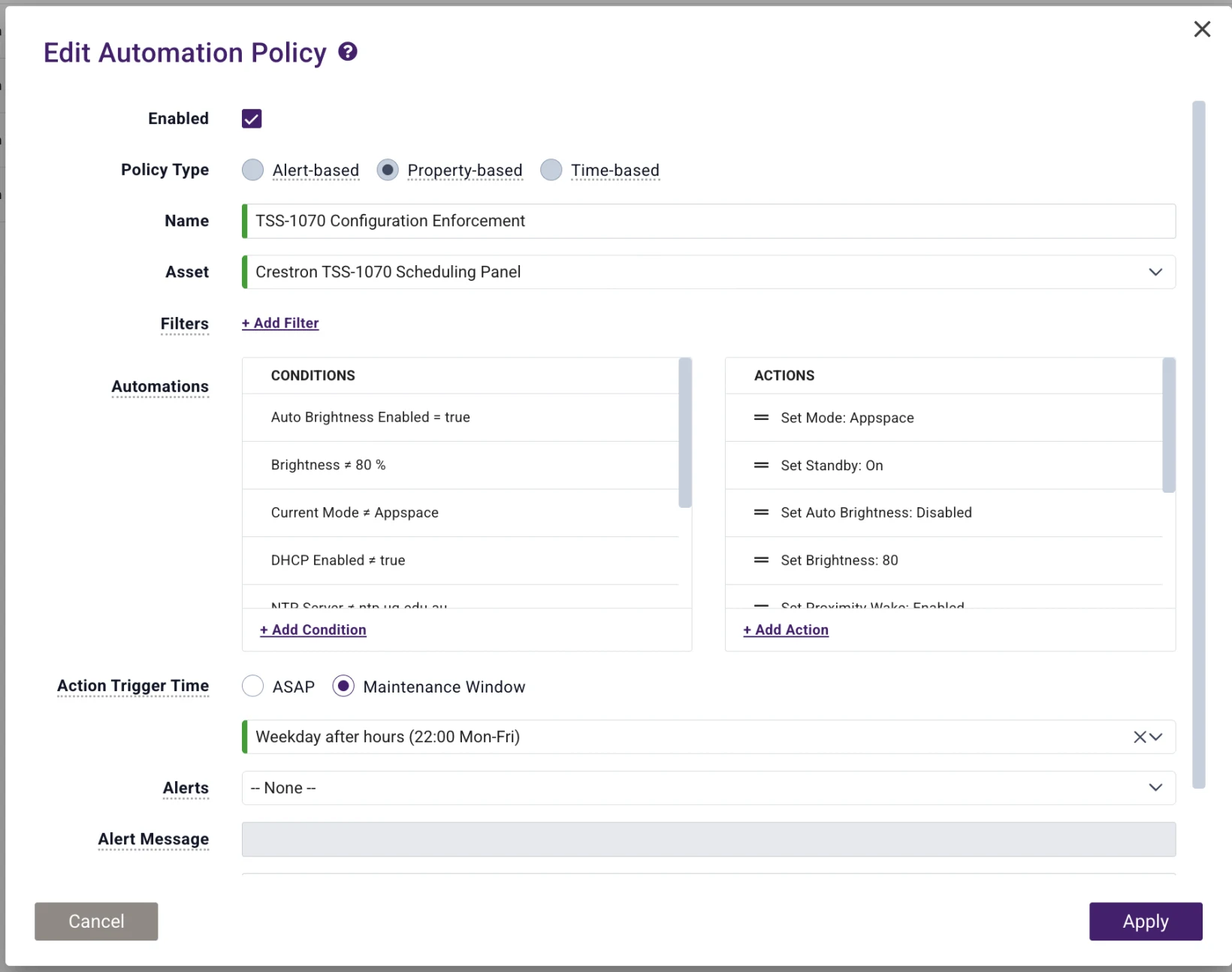
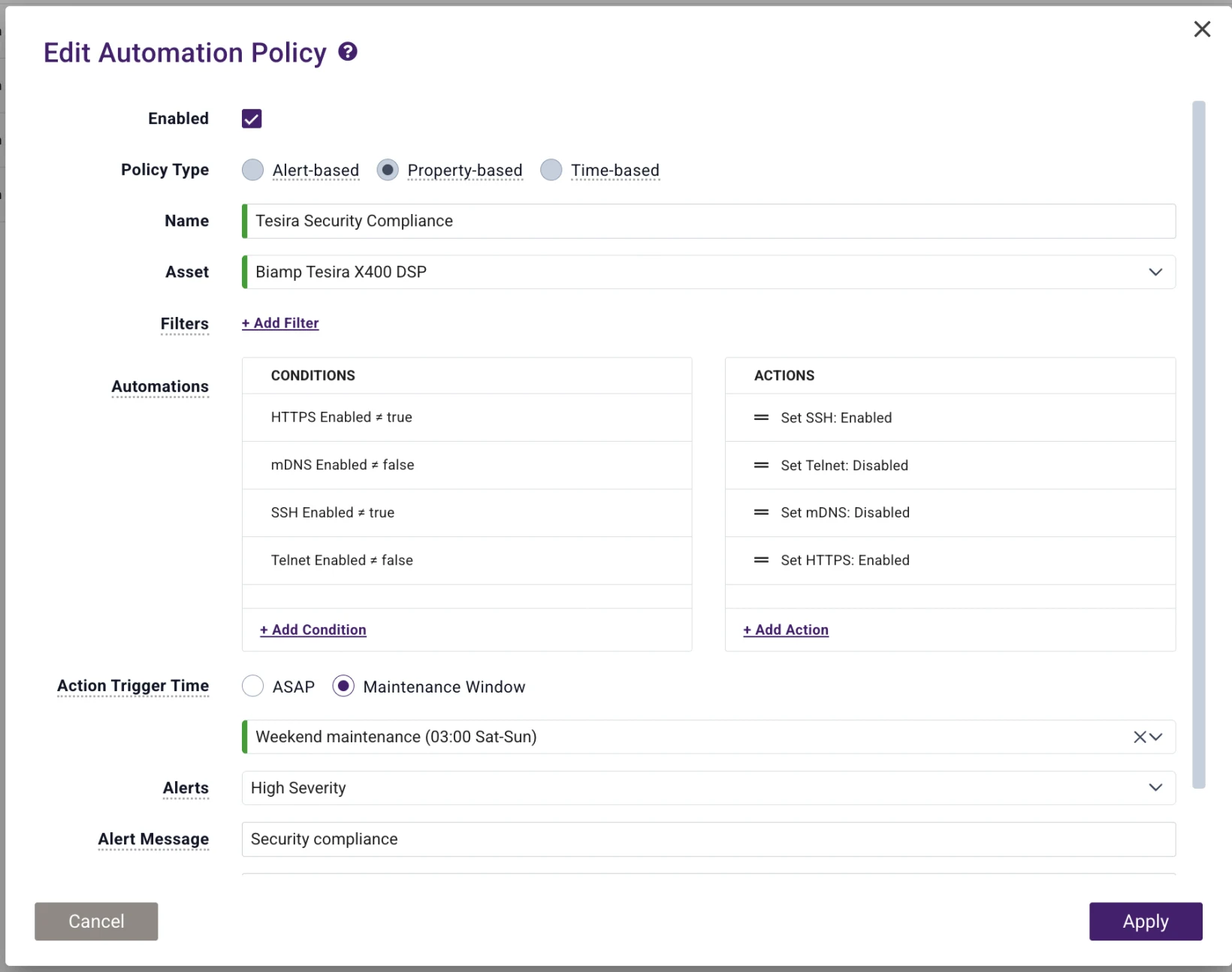
09 Consumption Dashboard
Your subscription, at a glance.
The Consumption dashboard has been rebuilt for clearer visibility into your subscription, with room counts and a breakdown aligned to the Sight small, medium, and large subscription sizing, and visualisations that now open in a full-screen view.
10 Accessibility
AV room control that doesn't assume vision.
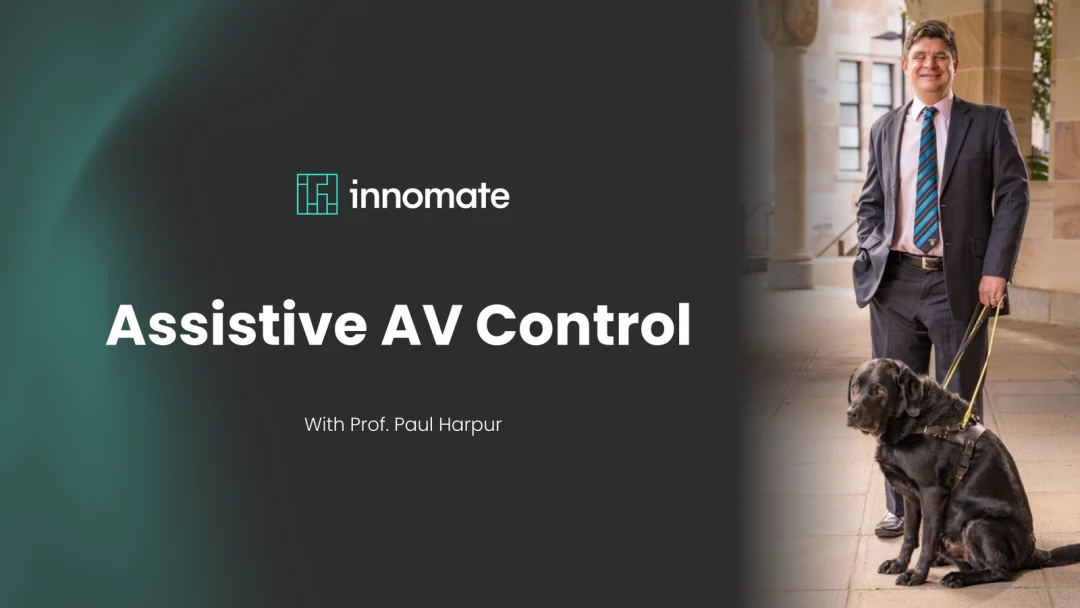
v3.6.1's accessibility work builds on Assistive AV Control, which gives blind and vision-impaired users control of the room from their own phone, leveraging the screen reader technologies they already use. It is a mobile web interface engineered around ARIA and optimised for Apple VoiceOver and Android TalkBack.
It was co-designed with Professor Paul Harpur and is in production in selected tenancies, starting with the University of Queensland. For the story of how it was shaped by its users, read our interview with Professor Paul Harpur.
WCAG 2.2 above 90%
Accessibility improvements across Innomesh Portal and Room Manager lift WCAG 2.2 alignment above 90% across levels A, AA, and AAA.
New in v3.6.1
Assistive technology access management
Administrators can add, edit, and remove assistive technology users and assign the rooms each user can control, directly from the Portal.
And That Is Not All
The Innomesh Platform API has been significantly expanded across rooms, assets, alerts, and licensing, the busiest Portal pages load faster, key tables have been refreshed, and notification banners can be dismissed.
Room friendly names, everywhere.
Room friendly names are now a first-class field across the platform: searchable, shown alongside technical room names, and available through the API.
Template selection, now a descriptive list.
In Room Manager, the template selection page now defaults to a list view that includes template descriptions, making templates easier to tell apart and compare than the previous image-based view.
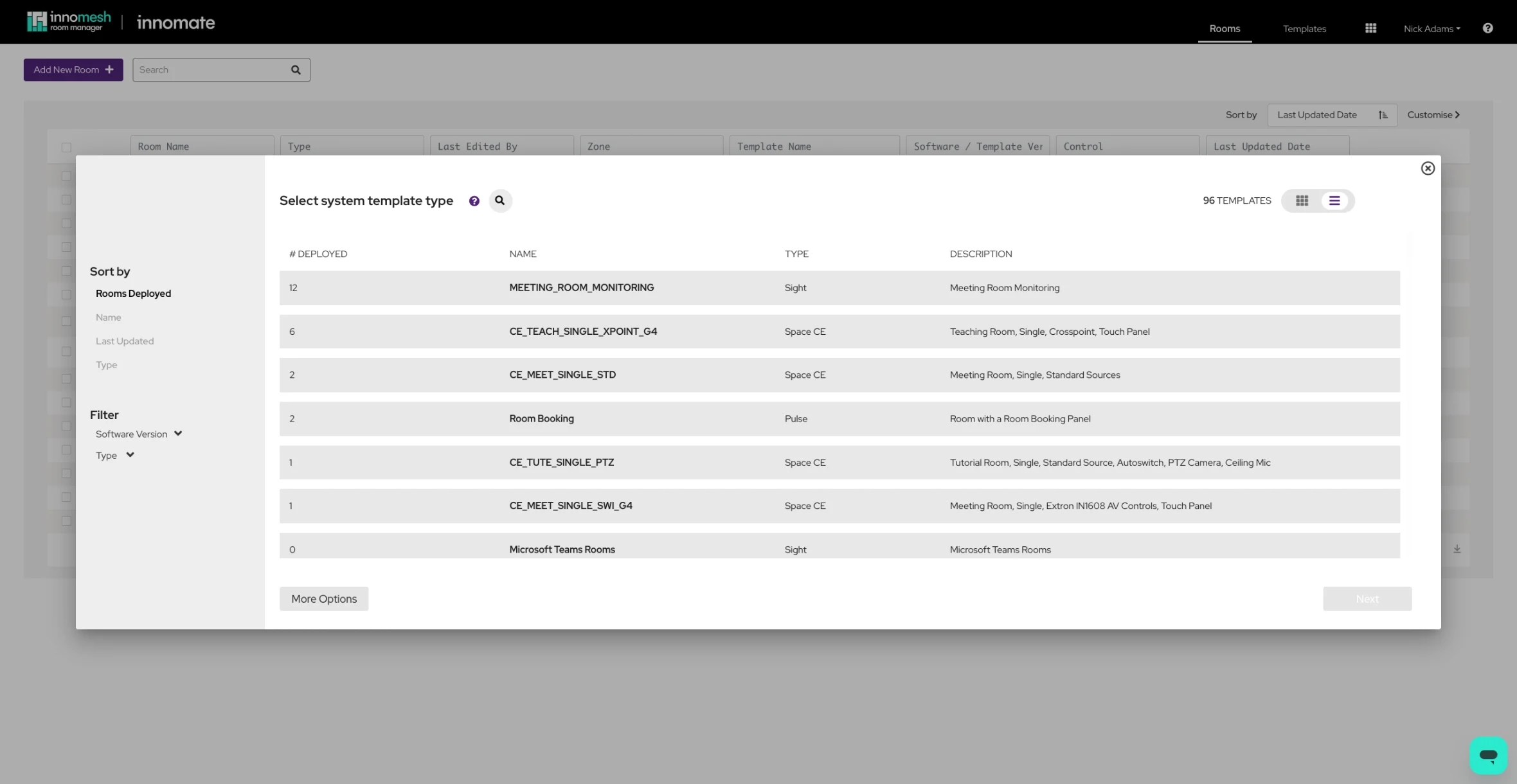
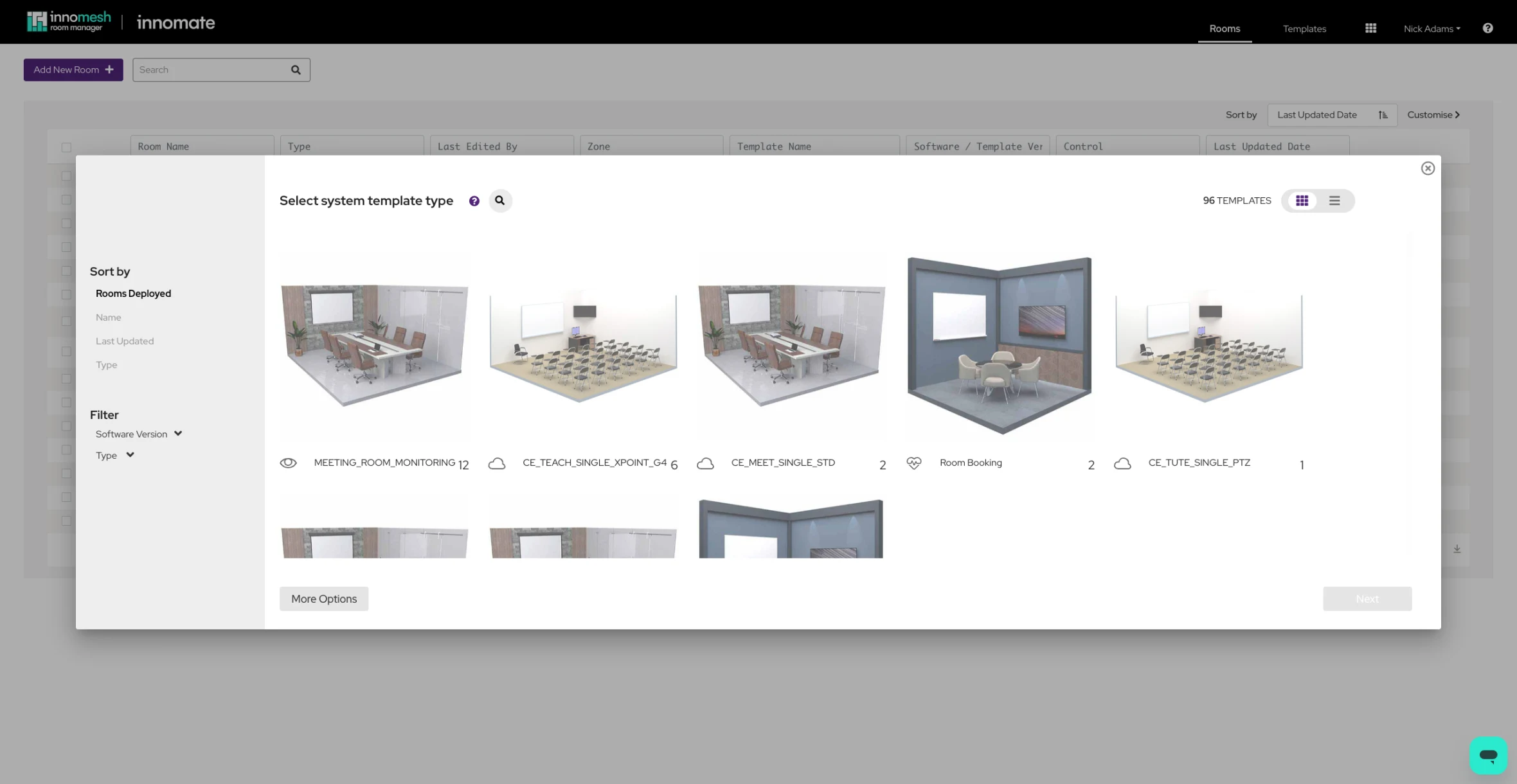
Template selection: the previous image-based grid and the new descriptive list default. Drag the divider to compare.
As the final release of the v3 series, v3.6.1 sets the stage for Innomesh v4.
A natural progression of v3. No migration, no new licence, already part of your subscription.
What's Next for Innomesh?
Version 3.6.1 moves Innomesh another step along the journey from proactive alerting to intelligent, automated AV and UC operations. The meshIQ preview is the beginning, not the destination: new meshIQ capabilities will continue to roll out throughout 2026, and meshIQ is being refined in the open, so your feedback during the preview directly shapes where it goes next.
It is also a milestone. As the final release of the v3 series, v3.6.1 sets the stage for Innomesh v4, the next generation of the platform. V4 arrives as a natural progression of v3, not a migration. There is no re-purchase and no new licence to negotiate: V4 is included in every customer's existing subscription, exactly as every v3 release has been. We will have much more to share soon.
Experience Innomesh for Yourself
Book a session and we will show you how the platform runs large environments in production.