Innomesh · Assistive AV Control
Room control that doesn't assume vision.
In conversation with Professor Paul Harpur: the UQ legal scholar whose teaching workflow shaped Innomesh Assistive AV Control, on independence, screen readers, and what an inclusive teaching space actually requires.
1,500+
Rooms in production at the University of Queensland
90%+
WCAG 2.2 alignment across the platform
BYOD
Runs in your phone's browser
Walk into any modern lecture theatre and count the things built for vision. The touch panel. The printed labels beside it. The icons, the menus, the confirmation dialogs. Now start the class without using your eyes.
For most of his career, Professor Paul Harpur began every lecture by asking someone else to do it for him. Not because he lacked the capability (he is one of Australia's leading disability rights scholars) but because the one piece of technology that starts a teaching space assumed its operator could see it.
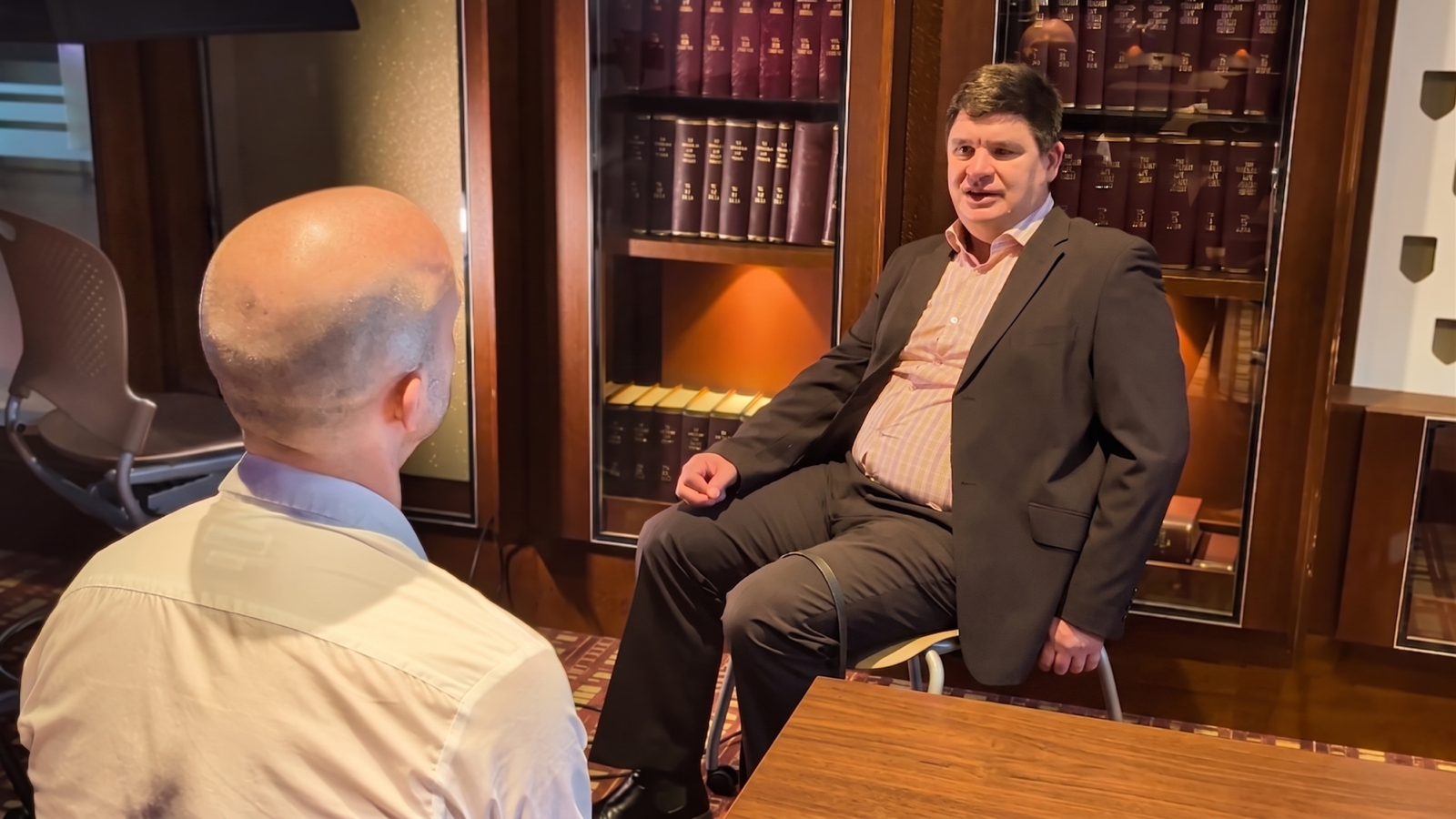
That assumption is what Innomate and the University of Queensland set out to remove. The result is Innomesh Assistive AV Control: room control that runs through the screen reader Professor Harpur already uses every day, now in production in selected tenancies. He sat down on camera with Luke Angel, Innomate's Chief Information Officer, to talk about how it came to be and what it changes.
Who is Professor Paul Harpur?
Professor Paul Harpur OAM is a professor at the University of Queensland's TC Beirne School of Law and directs the university-wide Disability Collaboratory, a research group with around 400 staff collaborators. He is one of Australia's most recognised voices on disability rights and inclusion: a twice Paralympian, the 2022 Blind Australian of the Year, and a Medal of the Order of Australia recipient for service to people with disability. His recent scholarship, including a 2025 co-authored article in the Journal of Higher Education Policy and Management, argues that disability inclusion in higher education should be disability-led: nothing about us unless it is led by us.
He is also a totally blind working academic with a full teaching load, teaching international law, disability law and corporate law, usually somewhere on campus with his guide dog, Fletcher. Which meant that for years, in lecture theatre after lecture theatre, one of the country's foremost experts on disability inclusion could not start his own class.
“Enabling. It enables me to walk into a room knowing that no one's going to run late, no one's going to stuff up the system, and that the system will work when I hit the button. It's putting me on an equal step with everyone else.”Professor Paul Harpur, University of Queensland
Why can't a blind academic run a modern teaching room?
Universities have spent two decades building accessibility into almost everything. Ramps and hearing loops. Captioned lectures. Accessible learning platforms. Dedicated disability support services. The campus adapted, and the curriculum adapted.
The lectern did not. Most teaching spaces are still operated through a fixed touch panel, custom-programmed room by room, designed on the assumption that the person pressing the buttons can see them. It is an accessible room with an inaccessible interface.
Professor Harpur's before-story makes it concrete. The podium PC had no screen reader, so an AV support person came to set up every class. “They'd find the cable, plug the cable in, which I could have done, plug the electrical power point in, which again I could have done, and then they clicked a few buttons, which I couldn't do,” he recalls. Helpful people doing their best, and still a dependency: sometimes they ran late, and the setup conversation competed with the start of his lecture.
An academic who runs their phone, their email, and their research through a screen reader walks into a space where none of that expertise transfers. The workaround becomes a habit, and the habit becomes a career.
What did UQ and Innomate build together?
UQ runs one of the largest cloud-managed AV estates in the world, with more than 1,500 rooms in production on Innomesh. When the university brought Professor Harpur's situation to us in 2025, it arrived as a co-design conversation, not a support ticket. The question was never “can we patch something for one academic”. It was: how should a modern AV platform serve a blind academic, full stop?
The connection is older than the project. Luke Angel and Professor Harpur first met at UQ's Parnell Building about a decade ago, when Luke was at the university. When UQ's Institute for Teaching and Learning Innovation raised the barrier again, it was Luke, then leading UQ's end-user technology team, who had the idea: what if his iPhone could drive the AV system? Luke brought the problem, and the idea, to Innomate, and the two teams built it together on Innomesh.
Discovery started with the person, not the product. A structured questionnaire covered how Professor Harpur orients to a room, how he uses his phone, and which accessibility tools he already trusts. The answer was unambiguous: he drives his entire digital life through Apple VoiceOver on his iPhone. Our engineering team had reached the same conclusion independently.
That discovery set the whole technical direction. We did not build a bespoke assistive controller, a special device mounted beside the touch panel and maintained as an exception. We built a mobile web application, engineered around ARIA (Accessible Rich Internet Applications) attributes and optimised for VoiceOver, so the screen reader Professor Harpur already relied on could drive every AV action in the room: power, source selection, volume, and microphone muting, with automated lighting scenes tied to AV activity.
One choice was deliberate: tap-first screen reader navigation rather than voice control. A lecturer mid-sentence cannot stop to dictate to a phone. “I can be talking about whatever I'm talking about while at the same time listening to my iPhone, flicking through and just fixing the volume,” Professor Harpur says. Voice input may arrive later as an option; it will not replace the quiet path.
This is the discipline we hold ourselves to. We're not coming up with solutions. We are working with disabled individuals who are stakeholders telling us what to do.
The principle · from Professor Harpur's research
Nothing about us unless it is led by us.
Disability-led co-design.
What does a room sound like through a screen reader?
A sighted lecturer glances at a panel and taps. A blind lecturer hears the room. That shift changes details most platforms never think about.
Take room names. Internally, a teaching space might be identified as 01-0064-204. A screen reader will happily announce that string, and it will mean nothing. So Innomesh derives human-readable friendly names, and the screen reader announces the space in words a person actually uses. The room introduces itself.
Every control is labelled, navigable, and announced: state changes, confirmations, levels. There is no app to install and no app store between the lecturer and the room. The interface is an HTML5 web application, bookmarked to the phone's home screen, delivered and updated through the platform like every other part of Innomesh.
And because it is built on the accessibility stack Professor Harpur already masters, there was no new workflow to learn. The expertise he brought to the room finally counted. The audience noticed too. “It's good for the students to see that I walk straight into the room and I can drive the technology,” he says.
“When I come into the room, I've already logged into the room's AV system by my iPhone. I can come in and click power on if it's off, then click on laptop, click on volume. Then I can put my phone in my pocket, plug the laptop in, and the PowerPoint from the laptop is up on the screen.”Professor Paul Harpur, University of Queensland
From the interview
“You don't need sight to have vision.”
Professor Paul Harpur, University of Queensland
Where does Assistive AV Control go from here?
Assistive AV Control is in production in selected tenancies, starting with the University of Queensland, and it supports both major mobile screen readers: Apple VoiceOver on iPhone and TalkBack on Android. It works natively on whichever phone an academic already carries.
Professor Harpur is quick to widen the frame beyond blind academics. Across Australia's universities, 12.3% of students report having a disability: “just under 200,000 students. It's a huge number,” he says. Some of those students will stand up and present in these rooms. People with low vision who choose not to disclose get the same quiet path. So does the academic with no disability at all, drumming their fingers while the previous lecture runs over: log in from the back of the room, and the changeover starts the second the room is free.
He reaches further back for the long arc. Louis Braille was brilliant, and died poor in an institution, because the world was not built to let him contribute. “If he was around in 2026 with the technology we've got now, he probably would have retired with a lot of money in the bank,” Professor Harpur says. “Just because you can't see, that doesn't hold you back, because you don't need sight to have vision.”
Access management is built into Innomesh Portal: administrators add assistive technology users, assign the exact rooms each person can control, and manage access. WCAG 2.2 alignment across Room Manager and Innomesh Portal now exceeds 90% across levels A, AA and AAA.
The roadmap keeps going:
- Calendar-triggered permissions, so a room makes itself available to an academic the moment they are timetabled into it
- Voice assistant integration, bringing hands-free operation into the room control surface
- An Accessibility Mode for the touch panel itself, with larger text, simplified workflows and high-contrast paths for academics with partial vision loss
Talk to us about accessibility in your teaching spaces
Most universities already have a Professor Harpur: an academic, a presenter, or a student representative who cannot use the rooms they work in. You cannot retrofit inclusion into a hardware controller. You can design it into a platform.
If accessibility is a specification in your learning spaces and not an afterthought, we want to be in that conversation.
Frequently asked questions
What is Assistive AV Control?
It is a mobile web interface for controlling the AV in a teaching or meeting space, purpose-built for blind and vision-impaired users. It runs in the phone's browser, is engineered around ARIA attributes, and is optimised for Apple VoiceOver and Android TalkBack, covering power, source selection, volume, and microphone muting.
Is it available today?
Yes. Assistive AV Control is in production in selected tenancies, starting with the University of Queensland. Talk to your Innomesh account representative about enabling it for your environment.
Does it require a native app?
No. It is an HTML5 web application bookmarked to the phone's home screen. There is no app store approval cycle and no version drift between rooms; updates arrive through the normal quarterly Innomesh release.
Which screen readers does it support?
Both major mobile screen readers: Apple VoiceOver on iOS and Android TalkBack. The interface is web-based, so it opens in any mobile browser on whichever phone the user already carries.
Does it replace the touch panel?
No. It adds an accessible control path alongside the panel, on the same platform and the same permissions. A touch panel Accessibility Mode for academics with partial vision loss is on the roadmap.