 InfoComm 2026 · Las Vegas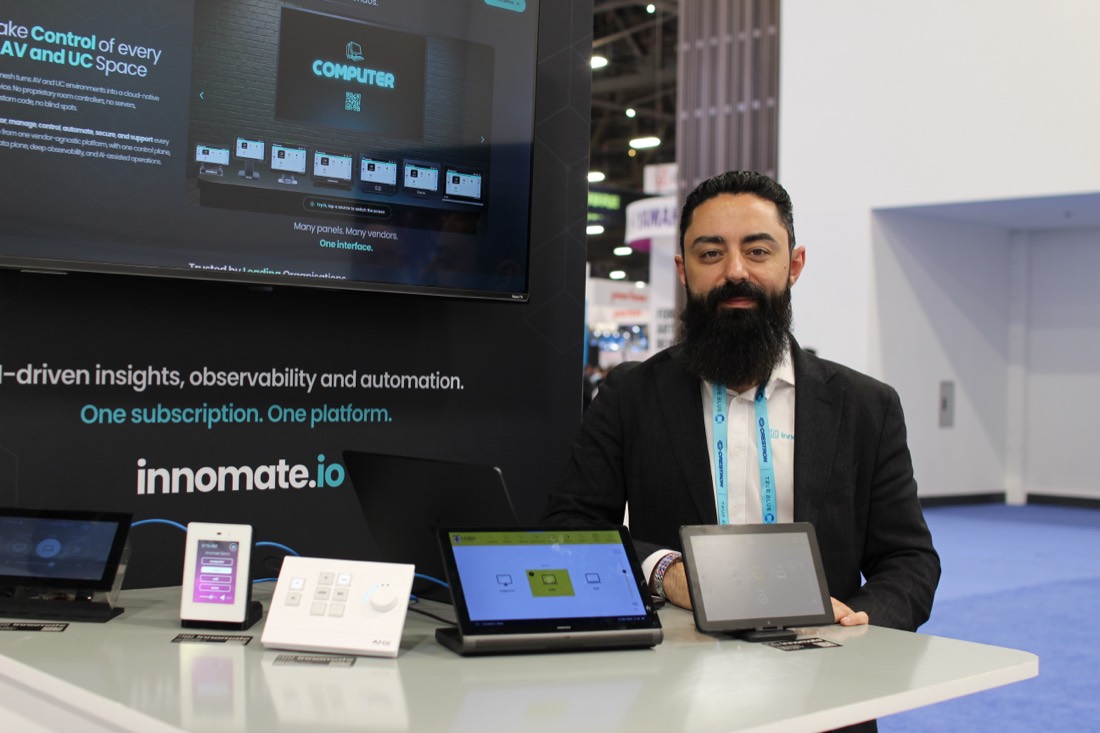
The Tech Effect Best in Show at InfoComm 2026, and everything we put on screen.
A huge thank you to everyone who stopped by our stand in Las Vegas. We brought Innomesh to the US market, sat down for real conversations about where enterprise AV is heading, and demonstrated the platform live from production.
And if you did not make it to the show, you have not missed out. Here is a walkthrough of everything we put on screen, and you can book a live session whenever it suits you.
Book a demoWe shared the stand with Blustream, whose AV distribution, AV over IP, and intelligent power solutions move the signal around the room. Innomesh is the software layer that sees, manages, and controls all of it from the cloud. The AV that fills the room, and the platform that runs it.
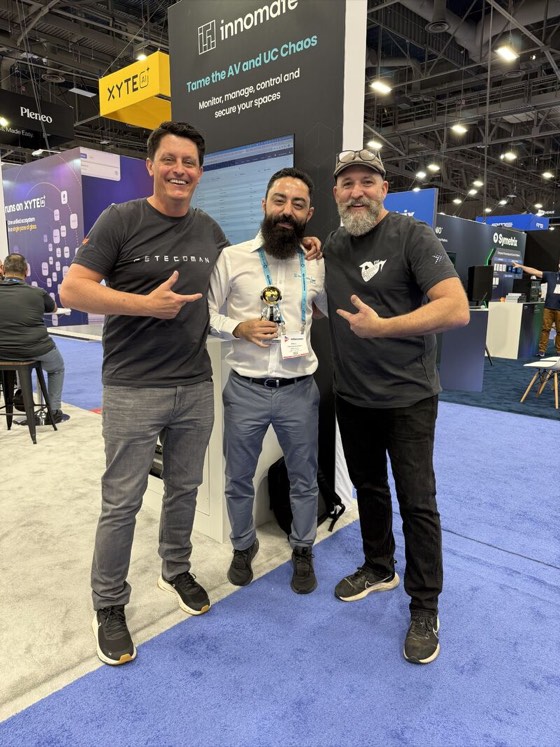 🏆 Best in Show
Named Best in Show at InfoComm 2026
“Best in Show is reserved for the product that defines the conversation. This year, Innomesh did exactly that.”
The Tech EffectA project built on Innomesh won too
At the Higher Ed AV Awards that same week, a university project built on the platform won one of higher education AV's top honours.

University of Aberdeen, Cloud Control and Monitoring Project
Best-in-Class, judged by peers from HETMA who run campus AV estates for a living. Aberdeen's cloud control and monitoring deployment is built on Innomesh.
The signal moves through the hardware. The intelligence lives in the software. These are the capabilities that drew the most attention at the stand.
The Touch Panel (Crestron TS) in room A-204 has dropped offline four times in 14 days, each time within minutes of the morning power schedule. is_responding and is_communicating are both false.
Most likely root cause: the PoE port feeding the panel, not the panel itself. The unit was swapped two weeks ago and the replacement shows the identical pattern.
- Three of four outages followed a building power event logged by the rack PDU.
- Switch SW-3 port 12 reports repeated link resets at the same timestamps.
- Swapping the panel did not clear the fault, which rules out the device.
A-204 is a 90-seat teaching space with a 09:00 lecture. Until the port recovers, staff cannot power on or select a source. Flagged as a single point of failure.
AI Alerts Agent. From alert to root cause in seconds
When something breaks, Innomesh does not just raise an alert. meshIQ reads the alert history, the device's live state, and the room context, then returns a plain language root cause, the operational impact, and the next steps to fix it. You can ask it anything about the alert. It does the first response analysis that used to need a senior engineer.
AI Insights Agent. Talk to your data, get the dashboard instantly
Ask meshIQ a question about your rooms, devices, alerts, and system health in plain English, and it answers in seconds with a chart built on the spot. No query language, no dashboard project, no waiting on a report. Save the questions that matter and replay them against fresh data whenever you need them, or share a live dashboard with your colleagues.
Time-based
Scheduled maintenance: pre-emptive reboots, end-of-day shutdowns, and automated overnight testing, in each room's local window.
Property-based
Desired-state enforcement for configuration, security and compliance. Reports on security posture, detects drift, and auto-remediates it.
Alert-based
Self-healing. A Hotlist alert triggers an automatic fix, like a PoE reboot, the moment something breaks.
Automation framework. Policies that run the fleet for you
Innomesh turns operations into policy. Time-based policies handle scheduled maintenance, property-based policies enforce configuration, security and compliance by catching drift and correcting it, and alert-based policies self-heal the moment something breaks. Set the rules once, and Innomesh runs them across the whole fleet.
Assistive AV Control. A room everyone can run
Innomesh now puts room control on the user's own phone, built for vision impaired users with full screen reader support. Power, source selection, volume, and microphone muting, all operable through the phone's native screen reader, VoiceOver on iOS or TalkBack on Android, with no proprietary panel required. It makes the room accessible to people that traditional AV control left out.
The integrations that bring AV into ITSM
Innomesh speaks the language of enterprise IT, so the AV estate stops being a silo. It plugs the room into the systems your teams already run.
New in 3.6.1, Innomesh layers incident management on top. Fine-grained, asset-level alerts roll up into higher-order incidents at room, site, zone, or environment level, each running a full lifecycle from New to In Progress, On Hold, Resolved, and Closed. Incidents are raised automatically by rule or by hand, sync both ways with ServiceNow, and run on their own when there is no ITSM in play.
| Room | Device | Asset UID | CMDB | Status |
|---|---|---|---|---|
| A-204 | Touch Panel | a03f...3650 | 🔗 | ONLINE |
| B-110 | Clickshare 7 | e4fa...b265 | 🔗 | OFFLINE |
| C-330 | Wireless Presenter | 8b17...9c41 | 🔗 | ONLINE |
| D-118 | Camera | 2c9d...74a1 | 🔗 | ONLINE |
| E-210 | Display | 6f30...0b22 | 🔗 | OFFLINE |
ServiceNow CMDB. Bi-directional, by design
Rooms and devices stay in sync both ways. Approve room builds in ServiceNow, detect device swap-outs automatically, and govern which system owns each field. Your AV environment becomes a first-class citizen in the CMDB.
| Device | Driver | Hostname / IP | Auto IP |
|---|---|---|---|
| Camera | VISCA (TCP) | cam1-{% Room %}.av.example.educam1-gp-a123.av.example.edu | ✓ |
| Biamp DSP | Tesira (SSH) | Reserving...10.80.21.42 | ✓ |
| Display | NEC LCD | Reserving...10.80.21.43 | ✓ |
Infoblox DDI. Hostnames and IPs, automatically
Innomesh generates hostnames from room data and reserves IP addresses at deployment, then keeps Infoblox in sync with no manual entry. Network provisioning at deployment speed, across thousands of devices.
Appspace
Your digital signage joins the same managed view. Live content preview, content sync status, and connection health for every endpoint.
Biamp
Biamp DSP faults surface on the Hotlist, and automation policies act on them. A failed Dante card can auto-reboot inside a maintenance window.
Q-SYS
Logs, events, vitals, and peripheral management for every Q-SYS core, with configuration backup and up to 365-day log retention.
WebCheckout
Equipment and checkout records sync into the Asset Information View, so inventory and live room data sit in a single pane of glass.
TeamDynamix
Innomesh alerts open TeamDynamix tickets automatically, enriched with room and asset detail, and kept in bidirectional sync.
Teams & Zoom Rooms
UC platform health in the same view: device and peripheral status, meeting metrics, and QoS alerts, with remote restart across Microsoft Teams Rooms and Zoom Rooms.
More that landed alongside the show
The capabilities above are in Innomesh 3.6.0. Here is a sample of what 3.6.1 adds across the platform.
Incident Management
Asset-level alerts roll up into room, site, zone, or environment incidents, each with a full New to Closed lifecycle. Auto-created from alert rules or raised by hand, synced both ways with ServiceNow, and fully standalone when there is no ITSM.
Mobile-first Portal
The Innomesh Portal mobile experience has been fully revamped, so monitoring and managing your estate from a phone is far easier.
Expanded Platform API
A significantly broader set of API calls opens more of Innomesh up to your own tools and to third-party platforms.
Dark mode
Dark mode arrives across Innomesh Portal.
Live screen previews
See a live image of a room's control, scheduling, and signage screens directly in Innomesh Portal, for selected panel brands.
The best way to understand Innomesh is to watch it run
On hardware you already own, on your network, on your fleet. Book a private session, or start a pilot on your own rooms.
Book a demoor reach out to the team any timeInfoComm 2026 was a milestone for Innomate in the US, and we are just getting started. If modernising your AV and UC operations is part of your strategy, let's talk.
Paul YahchouchyCEO & Founder, Innomateinnomate.io